
Google Trends can show whether search interest differs by city, making it useful for shaping local keyword ideas. Using Google Trends for local keyword ideas helps a professional spot regional patterns, seasonal shifts, and related searches, then turn those signals into relevant content opportunities. Its interest scores show relative attention, not exact search volumes.
Choosing keywords for a specific city takes more than adding a place name to a broad search term. Local interest can shift with the audience, season, and topic, so interpret trend data alongside your business goals and other keyword research.
This guide explains how a local SEO professional can use Google Trends to assess city-level interest, identify seasonal opportunities, and uncover related queries and trending topics. You’ll also learn what information to provide and how trend insights can support a focused content plan for your market.
Key Takeaways
- Filter trend research to the market and search context that match the business, then interpret city-level interest carefully.
- Use seasonal patterns to plan useful content before local interest rises.
- Turn related queries into content topics that address what potential customers want to know.
- Screen trending topics for a clear fit with the business and its audience before adding them to a content plan.
Can a local SEO professional use Google Trends for local SEO in a specific city, like Brisbane?
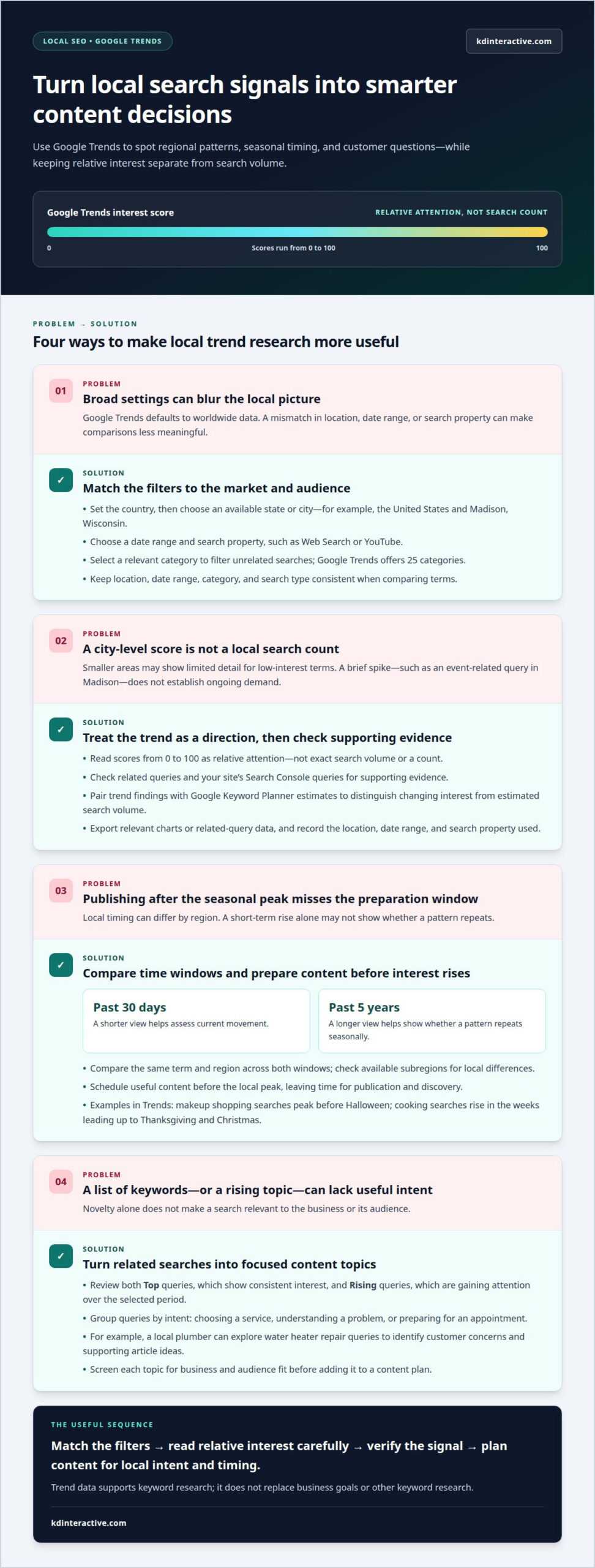
Yes. Google Trends lets you narrow research to a US city, such as Madison, Wisconsin, and review local patterns. Using Google Trends for local keyword ideas can reveal relative interest, related searches, and timely topics, but it does not provide exact search counts.
-
How a professional filters Google Trends by country and search property
Set the location to the United States, then choose an available state or city, such as Wisconsin or Madison. Google Trends defaults to worldwide data, so match the location to your target market. Select a date range and search property, such as Web Search or YouTube, based on your audience and research goal. Review related topics and queries to see how customers describe their needs, including searches that don’t name the city.
-
How a professional narrows Google Trends results by category and search type
Select a relevant category to filter out unrelated searches; Google Trends offers 25 categories. Then choose the search type that reflects the business, such as Web Search or Google Shopping. A professional compares terms under matching filters to keep the results meaningful. Interest scores run from 0 to 100, but they show relative attention rather than search volume, so they shouldn’t be read as a count.
-
Check small-area accuracy before analysis
Treat city-level data as a directional signal, not a precise measure of local demand. A smaller area may show limited detail for a low-interest search term, so look for supporting evidence in related queries and Search Console. For example, an event-related query may spike briefly in Madison. Assuming that short-lived rise reflects ongoing demand could lead to a poorly timed content decision.
-
How a professional exports data for local keyword analysis
Export the relevant chart or related-query data from Google Trends, then record the location, date range, and search property used. This keeps comparisons tied to their settings. Pair trend findings with Google Keyword Planner estimates and your site’s Search Console queries. Using Google Trends for local keyword ideas alongside these sources helps distinguish changing interest from estimated search volume and uncover timely local content opportunities.
How a professional plans content around seasonal search interest
A seasonal peak is useful only if content is ready before interest rises. A professional compares local patterns across years, regions, and related queries before setting publication timing.
-
How a professional finds interest by subregion
Set Google Trends to your target market, then compare interest across available subregions. A statewide pattern can hide local differences, so check whether the same search term rises in nearby areas. Related queries can show how people describe a seasonal need locally. For example, interest in a holiday topic may appear earlier in one region than another, helping you time content more precisely.
-
How a professional filters interest by location and time
Choose a location first, then compare a shorter window, such as the past 30 days, with a longer view, such as the past 5 years. The shorter range helps assess current movement; the longer range shows whether the pattern repeats seasonally. A professional keeps the region and search term consistent between comparisons. Otherwise, changing filters can make a difference look like a trend when it reflects a different audience or period.
-
How a professional compares local keywords by relative interest
Compare related search terms using the same location and date settings. Google Trends shows relative interest, not search counts, so a stronger line does not prove greater search volume. Use the comparison to identify timing and topic direction, then weigh each term against your business goals and related queries. For instance, a seasonal phrase rising before a broader term may signal an earlier content opportunity, not a larger audience.
-
How a professional times content publication around seasonal search interest
Schedule useful content before the local peak, leaving time for publication and discovery. Google recommends publishing high-quality seasonal content before people begin searching. Trends examples show makeup shopping searches peaking before Halloween, while cooking searches rise in the weeks leading up to Thanksgiving and Christmas. Use these patterns to shape your content calendar, then adapt the timing to your region rather than copying a national schedule.
How a professional uses related topics and queries to generate content ideas
Related topics and queries show how people explore a subject beyond one target search term. Use them to shape useful local content, not just to collect keyword variations.
- Start with a relevant core topic and review its related searches. A local plumber, for example, might examine queries about water heater repair to uncover customer concerns and supporting article ideas. Group closely related search terms by intent, such as choosing a service, understanding a problem, or preparing for an appointment. This turns raw query suggestions into an organized content plan.
-
How a professional reviews rising queries for keyword ideas
Compare both Top and Rising related queries for your selected topic and location. Top queries show terms with consistent interest, while Rising queries highlight searches gaining attention over the chosen period. Check whether each phrase fits your business and answers a real customer question. A rising query may inspire a timely page or article, but relevance matters more than novelty.
- Use related topics to broaden your research beyond exact-match phrases. If searches about a home repair also surface a safety concern, that topic may support a separate educational article or a useful section on an existing page. Look for clear questions and recurring needs in the query wording. Then match each idea to a suitable content format, avoiding multiple pages that address the same intent.
-
How a professional spots trending and breakout queries
Inspect fast-growing queries and their context before recommending content. Google Trends labels a query “Breakout” when its growth exceeds 5000% over the selected period. That label signals a sharp rise, not established search volume or lasting demand. A professional considers whether the topic connects to the audience and can be addressed accurately. A brief spike may call for a timely update, not a permanent content pillar.
How a professional finds trending topics relevant to a business and its audience
Google Trends can surface local interest, but a rising topic matters only when it fits your business and audience. Evaluate the location, search context, and potential usefulness before adding an idea to your content plan.
-
How a professional discovers emerging trends for topic clusters and product ideas
Review emerging topics connected to your core products or services, then group related subjects into clusters. A local outdoor retailer, for example, could assess whether rising interest in camping gear supports useful buying guides or product-focused pages. Treat a trend as a research lead, not proof of lasting demand. Consider whether it suits your audience and whether your business can provide relevant information.
- Use Trending Now to identify fast-moving searches, then assess their local relevance. Its filters cover periods from 4 hours to 7 days, and the feature displays trends from over 100 countries and regions. For example, searches for “how to cook pollock fish” rose 750%, while “how to cook sole fish” rose 200%. Those topics suit food-related content, but not every local business.
-
How a professional identifies location-specific keyword ideas
Set Explore to city-level geography and examine terms relevant to your business. Compare the city’s pattern with nearby areas, then consider whether local wording or needs suggest a distinct page or topic. Look for a clear connection between the search, the audience, and your service. This turns broad trends into location-specific SEO ideas rather than unrelated traffic targets.
- Before featuring a trend, assess whether it answers a customer need and fits the brand’s expertise. A short-lived spike may suit timely coverage, while a recurring seasonal pattern can support a longer-term content plan. Keep the audience and location central, and use Google Trends as a directional signal rather than a forecast. Plan local content around relevant search trends.
KD Interactive: Local SEO Services
KD Interactive helps businesses turn local search insights into focused SEO and content plans. When Google Trends reveals promising topics but you’re unsure which terms to prioritize, SEO Keyword Analysis can help assess opportunities in your target market. Local SEO Services connect that research to broader local visibility goals.
When you’re ready to turn relevant search themes into useful pages and articles, Content Creation supports the next step. The Google Map Pack with AI Assistant can also support your local search presence. These services help make trend research part of a coordinated local SEO strategy, rather than leaving you with a list of unprioritized ideas.
Contact KD Interactive to discuss your local keyword and content priorities.
Turn Local Search Signals Into Your Next Move
Make trend research part of a deliberate decision process. Choose a business priority, use local search signals to assess the opportunity, and connect each content idea to a clear audience need. A disciplined approach to using Google Trends for local keyword ideas keeps planning grounded in evidence while leaving room to respond as customer interests evolve.
The next step is deciding how those insights fit your broader search goals. A focused plan can help prioritize pages, content updates, and timely topics without chasing every spike in attention. Keep the work practical: identify what matters to your local audience, create useful content around it, and assess how it supports your business objectives.
Contact KD Interactive to discuss your SEO and turn local search insights into a clear path forward. Your next content opportunity can start with a well-informed decision.
Frequently Asked Questions
What does Google Trends data look like?
Google Trends usually displays search interest as a timeline chart for the selected period. Depending on the view, it may also show geographic comparisons and panels for related topics or queries. Read the chart to see when attention rises or falls, and record the filters you used. That context makes the findings easier to interpret during later content planning.
What on Earth is Google Trends (and Why Should You Care)?
Google Trends is Google’s tool for exploring how search interest changes over time and across places. It can help answer practical questions, such as whether people in a particular market show more interest in a service during a certain season. For local businesses, that context can guide topic selection and timing. Separate keyword research can help estimate demand and prioritize pages to develop.
Does Google Trends show exact search volume for local keywords?
No. Google Trends reports normalized interest, not a count of local searches, so you can’t interpret a chart peak as a specific number of searches. Google Keyword Planner can provide search-volume estimates, which are a separate measure. For example, a rising Trends line may point to a timely topic, while Planner can help assess estimated demand for related search terms.